Steps
- Turn on RewardsOn your Clover web dashboard, go to Customers, then Rewards, and select Activate rewards. Create your first reward, add more with Add, and select Save.
- Add bonusesOptionally set a sign-up bonus and welcome, birthday or VIP rewards, and link rewards to items.
- Choose the device settingsOn the Clover device, open the Rewards app and select Settings to turn reward codes, the customer-facing screen and the after-payment rewards screen on or off.
- Enroll customers at checkoutIn Register, ring up the order and tap Pay. Enter the customer's phone number or email, or let them enter it on the customer-facing screen.
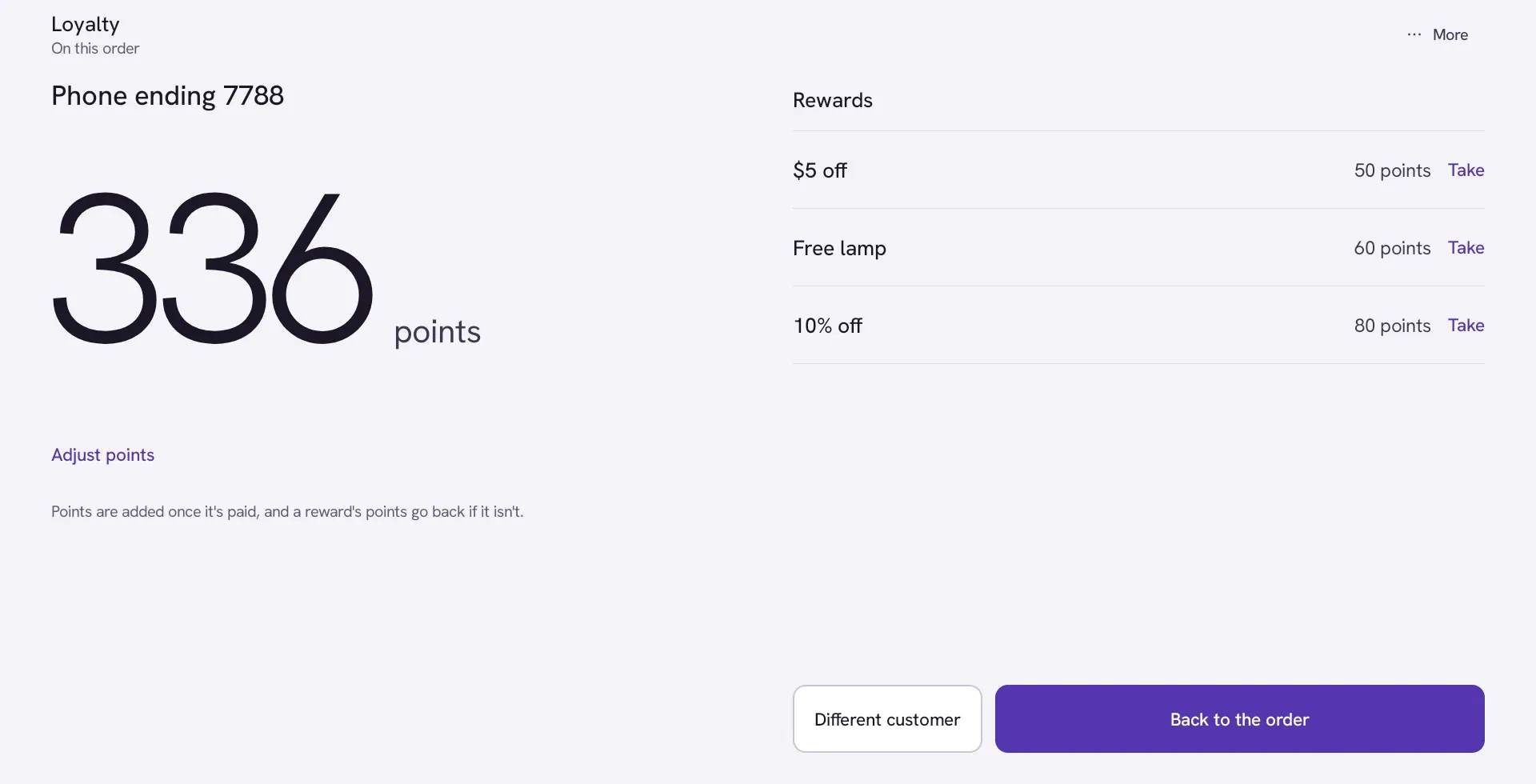
- Redeem a rewardAt Pay, pick the customer and redeem the reward. The discount or free item comes off before tax, and the points are taken off their balance.
- Let customers earn laterCustomers who skip enrollment can still earn with the code printed on their receipt or the Clover consumer app.
What Clover’s built-in Rewards does
Clover’s built-in Rewards gives one point per dollar spent before tax, and rewards can be a discount, a free item or a perk. Points work across your devices and locations. You choose what each reward costs in points, and you can add a sign-up bonus and welcome, birthday or VIP rewards.
At checkout the customer gives a phone number or email, either to the cashier or on the customer-facing screen. When they have enough points, the cashier redeems the reward at Pay, and the discount or free item comes off before tax.
Setting your rewards
Start with one or two rewards that are easy to reach. A reward that takes a year to earn won’t change how often anyone comes in. Work out what a reward costs you, not what it’s priced at: a free $5 coffee may cost you $1.20 in beans, milk and cup.
A simple test: a regular should earn something in their first month. If your average order is $12 and a regular comes in twice a week, they spend about $100 a month and earn about 100 points. A reward at 100 points lands at the right time.
Keep the rule short enough to say at the counter in one sentence: “Every dollar is a point, a hundred points is a free coffee.” If the cashier can’t explain it while ringing up, customers won’t remember it.
What Clover’s built-in Rewards can’t do
Clover’s built-in Rewards fits stores that want a straightforward points program on a plan that includes it. Some things are outside it:
- Bringing members over. Clover’s help center says rewards data from other programs can’t be imported, so a switch to Clover’s program starts every member from zero.
- Points per visit. Points come from dollars spent, so a $3 espresso earns far less than a $40 order.
- Every plan. Rewards comes with the Essentials and Growth plans, so check yours first.
When a separate loyalty app fits better
Look at a separate app when you want something Clover’s built-in Rewards doesn’t cover for you, such as:
- bringing members and points over from your old program;
- points per visit instead of per dollar;
- tiers for your best customers;
- referral points for the member and the friend;
- a page where each customer sees their own points.
A loyalty app from the App Market works alongside Clover: it adds its own button to the payment screen and puts rewards on the order as a Clover discount, so your totals and reports still add up.
Getting customers to join
The cashier asking is what fills a program. Ask every customer, every time, in the same words: “Do you have rewards with us?” Put the rule on a small sign by the register and on your receipts. A sign-up bonus, such as points toward a first reward, gives people a reason to say yes on the spot.
Check your numbers after a month: how many members you have, how many came back, and how many rewards were taken. If almost nobody has redeemed anything, rewards cost too many points.
Questions
Does Clover have a rewards program?
Yes. Clover's built-in Rewards comes with the Essentials and Growth plans. Customers join with a phone number or email at checkout and earn 1 point per dollar spent before tax.
Is Clover Rewards free?
It comes with the plans that include it, with no separate app to buy. If your plan doesn't include it, ask Clover or your reseller, or use a loyalty app from the App Market.
Can I move my members from another loyalty program to Clover Rewards?
No. Clover's help center says rewards data from other programs can't be imported, so members start from zero. A separate loyalty app can import members and their points.
Can customers earn points if they didn't sign up at the register?
Yes. They can use the code printed on their receipt, or the Clover consumer app, to earn for that visit.
Do points work at all my locations?
Yes. Points in Clover's built-in Rewards work across your devices and locations.
Loyalty, rewards program for Clover
Loyalty adds a points program to Clover. Customers give their phone number at checkout, earn points on what they pay, and trade them for rewards that go on the order as Clover discounts.