What a digital menu board is
A digital menu board shows your menu on a screen instead of a printed panel or a chalkboard. It can be as simple as one TV over the counter or as big as a wall of screens, one per category. The advantage over print is that changes are free and instant: a new price, a new item, a sold-out special.
What you need
- A screen. Any TV works. Mount it where people stand in line, at eye height or just above, and pick one bright enough for your room.
- Something to show the page. A smart TV with a browser, a Fire TV stick, or a tablet connected to the TV.
- A connection. Wi-Fi or a network cable at the screen.
- The menu. Either typed into a design tool, or read from your POS.
Two ways to make the menu
Designed by hand. You make the menu in a design tool, export it as an image or video, and play it on the TV. It can look exactly as you like, but every price change means editing and uploading again, and the board doesn’t know when you run out of something.
Read from your POS. The board reads the items and prices you already keep in Clover. Change a price on the register and the board follows. Mark an item unavailable and it drops off. You give up some design freedom in exchange for a board that’s never wrong.
Designing a board people can read
- Fewer items per screen. A line of customers reads a menu in seconds. Split long menus across screens or rotate them.
- Large type. Text that’s readable at the counter may be unreadable at the door. Check from where people actually stand.
- Group by what people decide first. Drinks, then food, or by meal.
- Photos for the items you want to sell. One good photo beats ten small ones.
- Contrast. Light text on a dark background, or dark on light, never mid-gray on a photo.
Keeping it in step with Clover
What makes a board useful over months is that it’s right. A board that reads Clover gets the item names, prices, size prices and paid add-ons from your items, and drops anything hidden, unavailable or deleted. Items Clover tracks stock on drop off when they run out.
What Clover can’t do
Clover has no menu board of its own. Your menu lives in Clover’s items and categories, and the register uses them, but nothing in Clover shows them on a TV. Clover also doesn’t keep item photos for this, so a board that shows photos needs them uploaded separately.
Menu Board for Clover
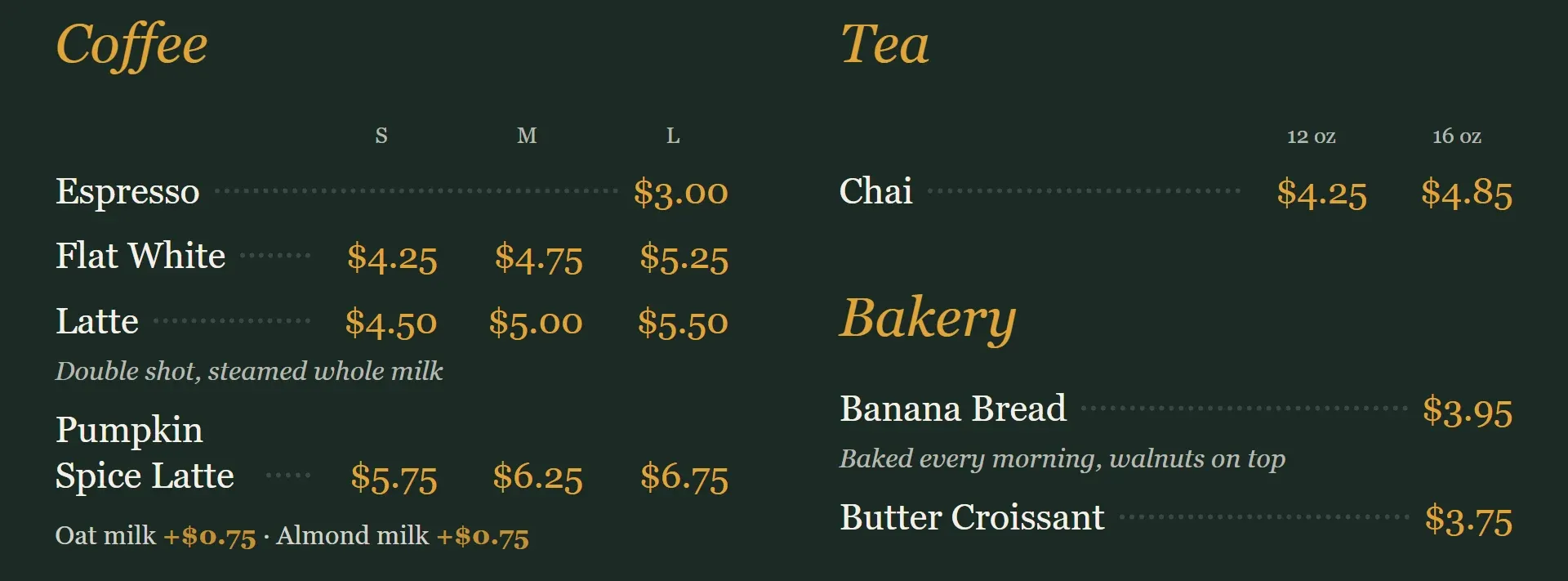
Menu Board shows your Clover menu on any TV, Fire TV or tablet browser, with no app to install on the TV. Pair a screen by typing the 6-digit code it shows. Each screen can show its own categories in a list or a photo grid, with your logo and colors, and switch categories by day and time. If the connection drops, the screen keeps showing the last menu.
Questions
What do I need for a digital menu board?
A TV, a way to show a web page on it (a smart TV browser, a Fire TV stick or a tablet), an internet connection, and the menu itself. Software that reads your POS menu saves you typing prices twice.
Can I use any TV?
Usually, yes. A board that runs in a web browser works on most smart TVs, a Fire TV, or a tablet plugged into a TV.
How do prices stay up to date?
With a board linked to your POS, a price change on the register shows on the TV within a minute or so. With a board made in a design tool, someone has to edit and upload it again.
Can a menu board hide sold-out items?
If it reads your Clover menu, yes: an item you mark unavailable, or one whose tracked stock runs out, drops off the board.
Can I show breakfast and lunch at different times?
Many boards can switch categories on a schedule. Menu Board sets days and times for each category, and can switch the whole board, such as for weekend brunch.
Does a digital menu board work without internet?
Good ones keep showing the last menu they loaded while the connection is down, and update when it's back.
Menu Board, menus on a tv for Clover
Menu Board shows your Clover menu on any TV and keeps prices and sold-out items in step with Clover by itself.