What Clover’s inventory does well
Clover’s built-in tools are better than many people expect:
- Stock on every item. Turn on stock tracking and each item has a count. Each sale lowers it.
- Low stock flags. Set a threshold per item, and the Low stock filter shows everything at or below it.
- Selling out cleanly. An item set to manage its own availability goes unavailable everywhere when it reaches 0.
- Variants. Item groups give one product sizes or colors, each with its own stock.
- Spreadsheet import. Add or update many items at once from Clover’s template.
- Cost. Each item has a cost field.
If you sell a few hundred items, restock by eye and count a few times a year, that may be all you need. It’s included with Clover and there’s nothing else to learn.
Where it stops
The gaps show up as a store grows:
- Deliveries. There’s no purchase order or receiving. When a delivery comes, someone adds each quantity by hand, and the cost on the item doesn’t change unless they edit it.
- Counting. A full count means typing each number into the item list, item by item.
- Reordering. The Low stock filter tells you what’s low, not how much to buy or from whom.
- Recipes. Selling a latte takes nothing off milk or beans.
- Several stores. There are no transfers between stores.
- Value and shrinkage. No report of what your stock is worth or what you lost to waste and theft.
What an inventory app adds
An inventory app doesn’t replace Clover’s inventory. It works on top of it: it reads your Clover items and writes counts and costs back, so the register keeps working as before. It adds:
- purchase orders and receiving, with the item’s cost updated as you receive;
- counts with a barcode scanner, saved as you go;
- a reorder list from recent sales and vendor lead times;
- waste, breakage and theft records;
- recipes that use up ingredients on each sale;
- transfers between your stores;
- stock value and profit reports.
Signs you’ve outgrown the built-in tools
- You spend more than an hour a week typing delivery quantities into Clover.
- You’ve run out of a best seller because nobody noticed it was low.
- Your accountant asks what your stock is worth and you can’t say.
- You order from more than a handful of vendors.
- You run more than one store and move stock between them.
Trying an app without risk
Because your items stay in Clover, trying an inventory app is low risk. Start with one job, such as receiving deliveries, and see whether it saves time. Before your first count, make sure your items have barcodes and costs, because every app depends on them.
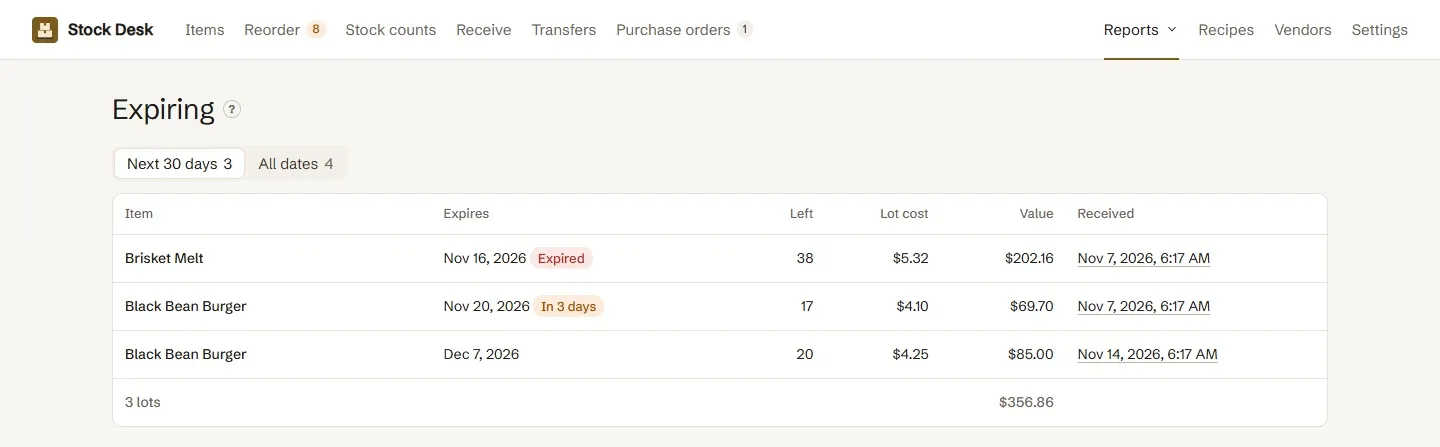
Stock Desk counts, receives and reorders for Clover stores, and writes each change back to Clover. See also how to add and count inventory on Clover.
Questions
Is Clover's built-in inventory enough?
For a store that sells a modest number of items and restocks by eye, often yes. Once you order from several vendors, count regularly or need to know what your stock is worth, an app saves real time.
Does Clover track stock automatically?
Yes. With stock tracking and automatic counts on, each sale lowers the item's count.
Does Clover have purchase orders?
No. Clover itself has no purchase orders, vendor list or delivery receiving.
Will an inventory app replace my Clover items?
No. A good one reads your Clover items and writes counts and costs back, so the register keeps working from Clover.
Can I try an app and go back?
Yes. Your items and stock counts stay in Clover. Removing the app leaves them where they are.
Stock Desk, inventory and reorders for Clover
Stock Desk handles inventory for Clover stores. Count shelves, receive deliveries against purchase orders and reorder what's low, with quantities and costs written straight back to Clover.