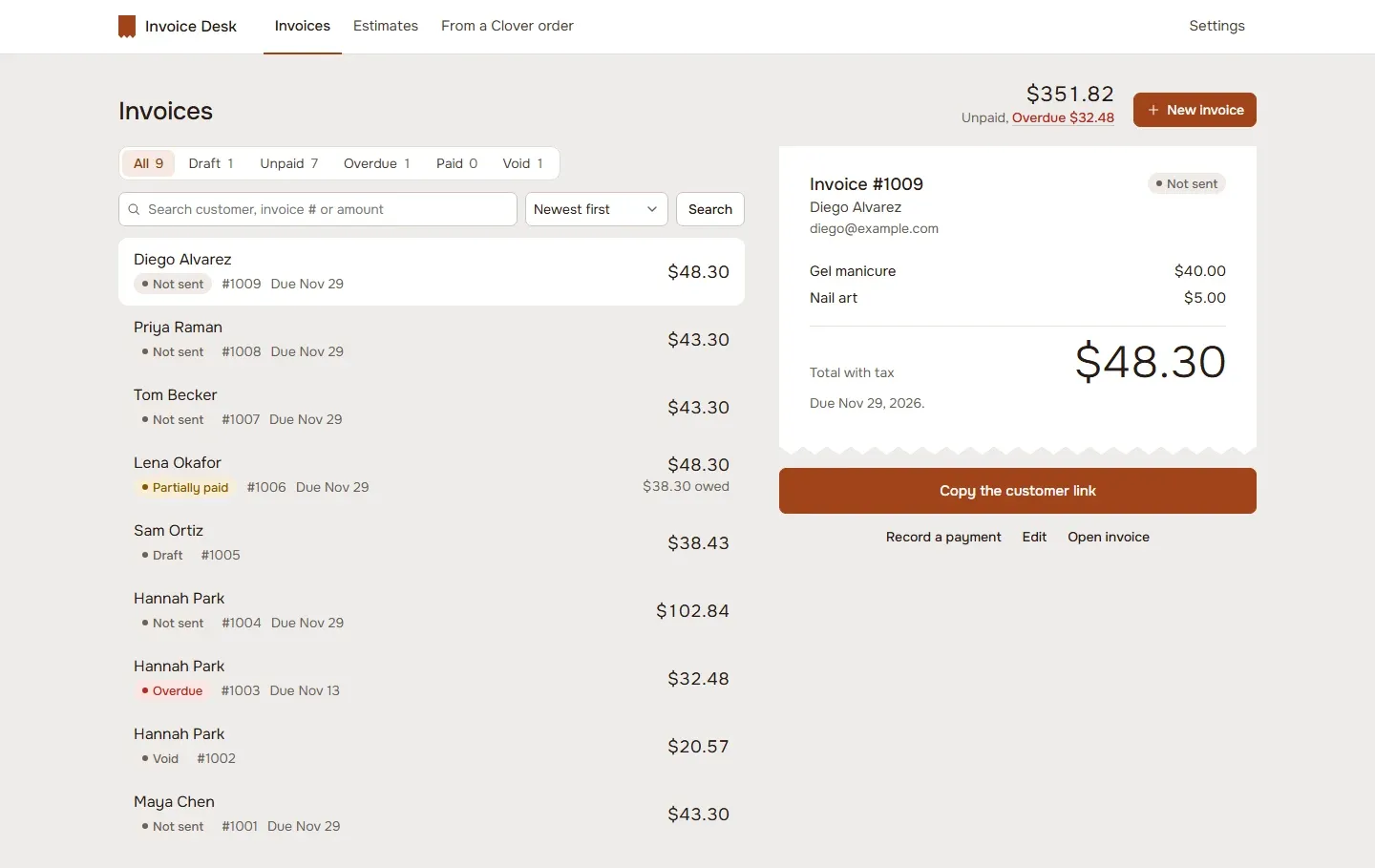
What it does
- Invoices and estimates from Clover customers and items, or from an open Clover order.
- Totals that match Clover’s own math: discounts before tax, tax per rate.
- Customers pay on their phone through Clover’s checkout, tip included.
- Deposits and partial payments.
- Status for every invoice: sent, opened, paid, partly paid, overdue.
- Recurring invoices, weekly, monthly or yearly, with autopay from a card on file.
- Send invoice from the register’s payment screen.
- Record cash, check and bank transfer payments.
How it works
- Open Invoice Desk from Clover.
- Make an invoice from a customer and items, or from an open order.
- Send the link. Your customer opens it and pays by card on their phone.
- Payments and status update on their own.
From estimate to paid
An estimate goes out as a link like an invoice. When the customer approves it, turn it into an invoice with one click, with nothing to type again. From then on each invoice shows where it stands: sent, opened, paid, partly paid or overdue. If you edit an invoice after sending it, the customer’s link shows the new version, and a refund or void in Clover updates the invoice on its own.
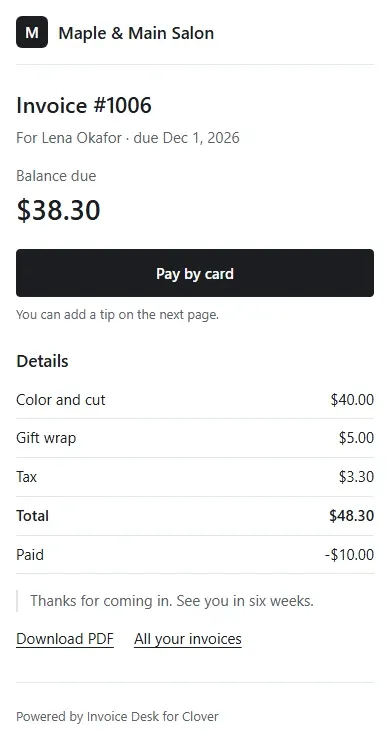
Your brand on the pay page
The pay page carries your logo, your color and your links, so customers see your store, not ours. It’s one column and works on any phone.
Also included
Reminders before, on and after the due date arrive with email and text sending. Each invoice downloads as a PDF to print or keep.
Who it’s for
Salons and services, caterers, contractors, wholesale sellers, and restaurants that take catering orders.
Good to know
Sending invoices by email and text from the app comes in a later version; until then, share the customer link. Clover’s item sales report shows the invoice as one line, not each item; sales, tax and tip totals are right.
Questions
How do I send an invoice from Clover?
Make the invoice in Invoice Desk from a Clover customer and items, or from an open order, then copy the customer link and send it the way you usually reach that customer. At the register, Send invoice sits under Other on Clover's payment screen.
How does my customer pay?
They open the link on their phone or computer and pay by card on Clover's own checkout, with a tip if you allow it. The money goes through Clover like any other card payment.
Can I take a deposit or a partial payment?
Yes. Ask for a deposit smaller than the total, or turn on partial payments so the customer can pay in parts. The invoice shows what's paid and what's left.
How do recurring invoices and autopay work?
Set an invoice to repeat weekly, monthly or yearly, until a date, a number of times, or until you stop it. With autopay, the customer saves a card in Clover's own card form, and later invoices charge it. Invoice Desk keeps only a label like VISA ending 1111, never the card number.
Will the totals match Clover's?
Yes. Line discounts come off first, then order discounts, then tax by rate, the way Clover does it. Clover's sales, tax and tip reports count each payment once.
Can I record a cash or check payment?
Yes, cash, check and bank transfer. They update the invoice, but Clover's own reports don't see them, because the money didn't go through Clover.