What it does
- One balanced journal entry per business day, posted overnight in your time zone.
- Sales by category or Clover reporting label, with discounts, sales tax by rate, tips, gift cards, service charges, refunds and every tender.
- Suggested accounts from your real chart of accounts. It can create the ones you’re missing.
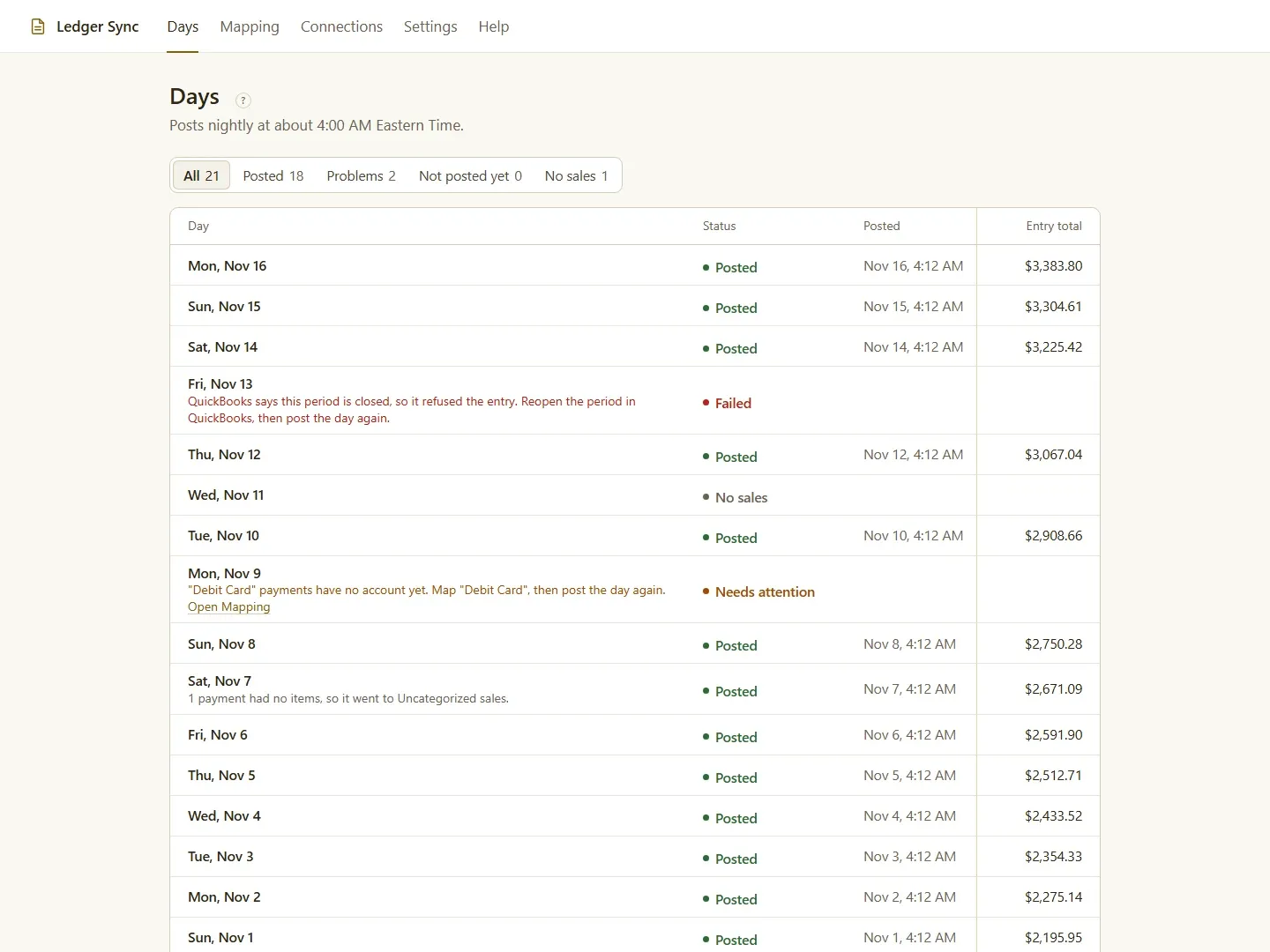
- A day that can’t post waits, with the reason in plain words.
- Never posts twice. It re-checks the last 7 days, so late tips and refunds land on the right day.
- Respects closed periods: changes post as a dated adjustment.
- Catch up on history, up to two years back.
- Several stores in one company file, tagged by class, location or tracking category.
How it works
- Install Ledger Sync from Clover and connect QuickBooks Online or Xero.
- Check the suggested accounts.
- Pick a start date and press Start.
- Each morning, yesterday is in your books. Problems show on the Days page.
What one day looks like
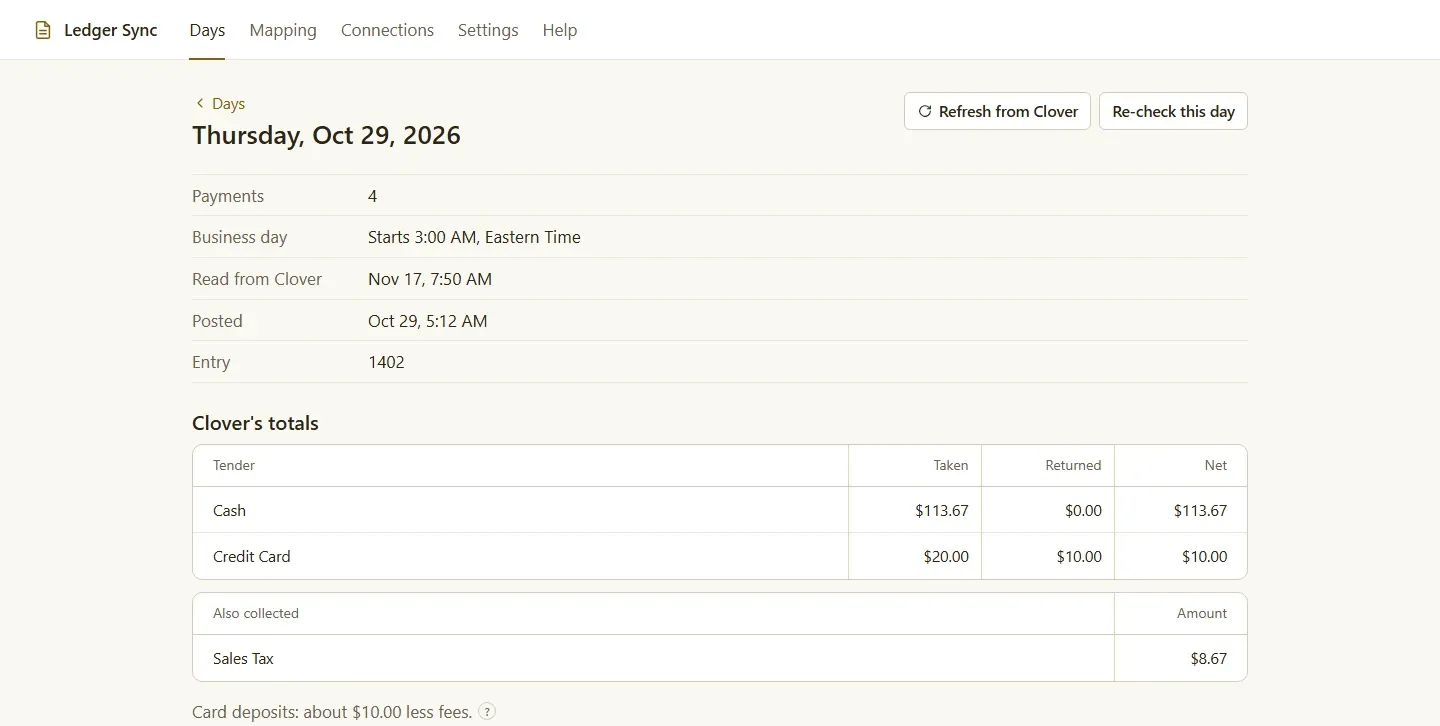
A day’s entry has a line for each Clover category as income, discounts and refunds against income, sales tax by rate as a liability, tips as tips payable, gift card sales as a liability, card payments to the clearing account and cash to Undeposited Funds. Debits equal credits, and the day page shows Clover’s own totals beside the entry so your bookkeeper can see they agree.
Your price
Ledger Sync costs $19.95 a month per store, billed by Clover, after a 30-day free trial. Uninstall it from Clover to stop the subscription.
Also included
Ledger Sync won’t start posting until every line is mapped to an account. The day view shows Clover’s totals beside the journal entry and the card deposit to expect. Cost of goods sold is optional. Business days can end after midnight, up to 6 am, for bars and late kitchens.
Who it’s for
Any Clover store whose bookkeeper keys in daily sales by hand today.
Good to know
QuickBooks Desktop isn’t supported. Sales tax lands in a liability account, not QuickBooks’ Sales Tax Center or Xero’s tax report, so file from Clover’s reports. Clover doesn’t share card processing fees, so card sales go to a clearing account you match against your deposits.
Questions
Does Clover integrate with QuickBooks?
Yes. Clover's own Accounting Sync sends daily sales to QuickBooks Online on the plans that include it. Ledger Sync is an alternative that also works with Xero and checks the last 7 days every night.
Does Ledger Sync work with QuickBooks Desktop?
No. It works with QuickBooks Online and Xero.
When does a day post?
Overnight, at 3 am in your store's time zone, or an hour after a later cutoff you set for a bar or late kitchen. Each morning, yesterday is in your books.
What about tips and refunds that come in late?
Every night Ledger Sync re-checks the last 7 days. If a tip was adjusted or a refund came in, it corrects that day, and it never posts the same day twice.
Why do my card sales not match my bank deposit?
Clover deposits card sales minus its processing fees and doesn't share the fees with apps. Ledger Sync posts card sales to a Clover Card Clearing account, and the gap is the fees, which you clear when you match the deposit.
Can I load past months?
Yes. Pick an earlier start date, up to two years back, and Ledger Sync catches up a few weeks at a time each night.