What it does
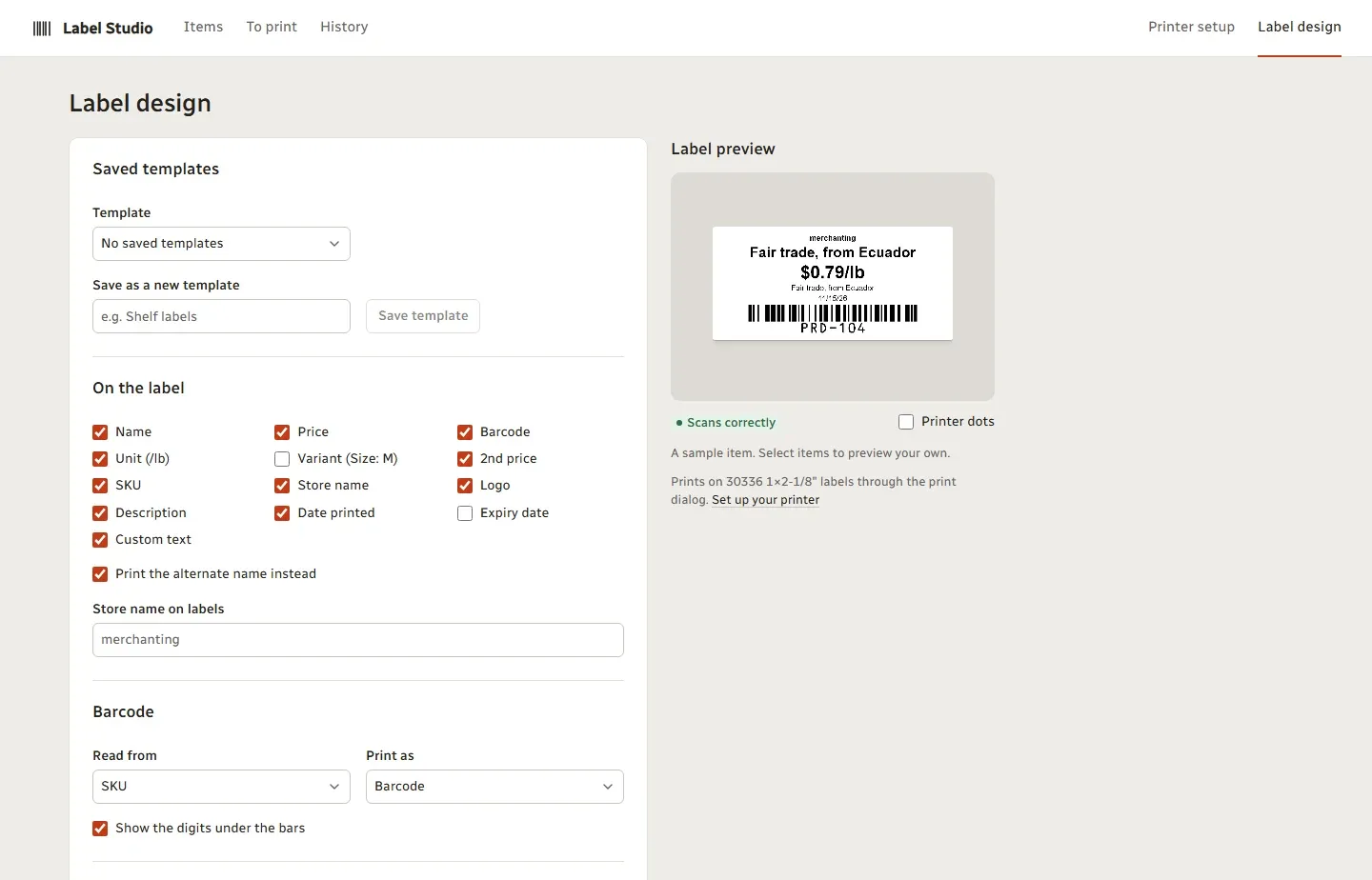
- Labels with name, price, unit, barcode, SKU, logo, store name, dates and your own text.
- Barcodes: UPC-A, UPC-E, EAN-13, EAN-8, Code 128 and QR.
- Every barcode is checked to scan before it prints; sizes too small are refused.
- Make barcodes for items that have none and save them to Clover.
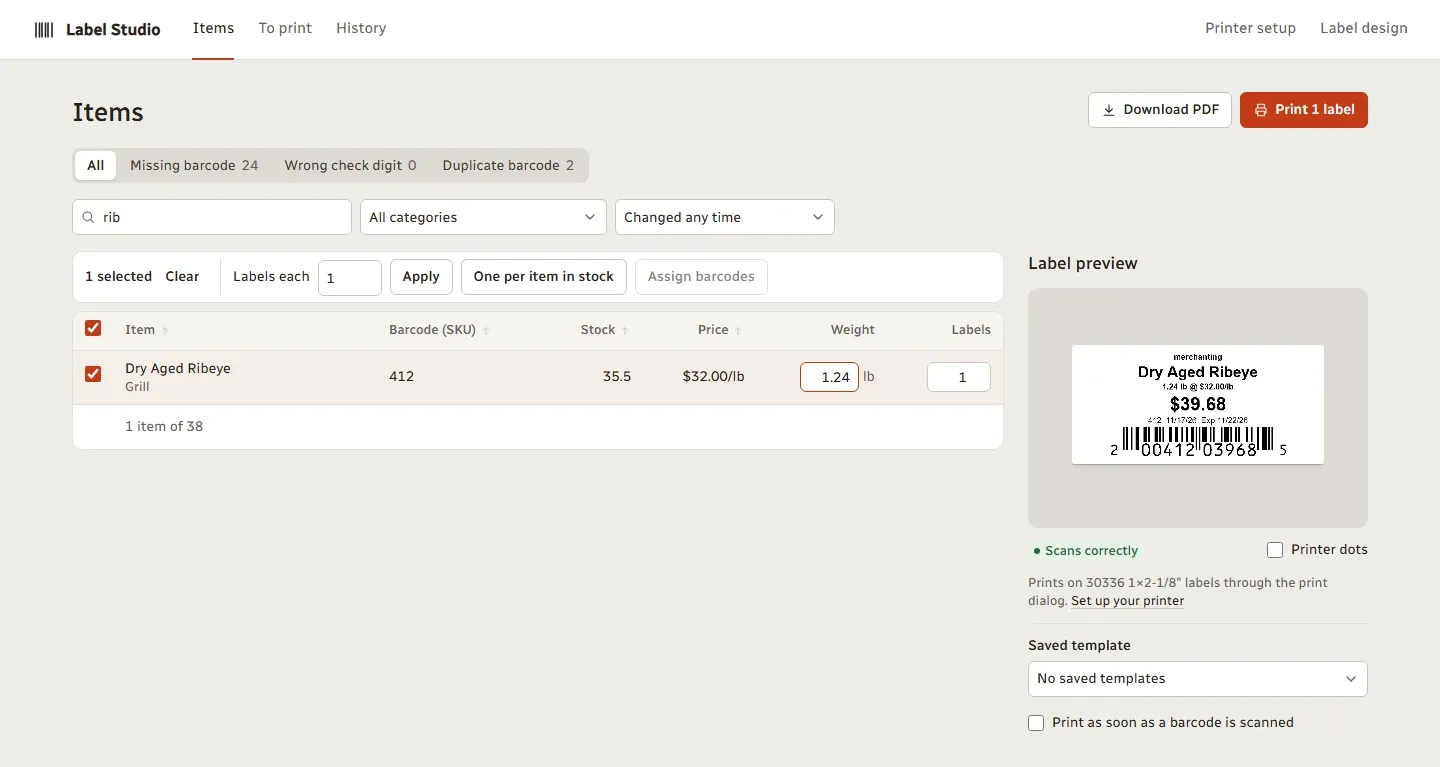
- Weight labels with weight, price per pound and a price-embedded barcode.
- A To print list that fills itself with new, repriced and restocked items.
- Setups for 15 printer models, with fine adjustment for the label position.
- An exact-size PDF for any printer.
How it works
- Open Label Studio from Clover and pick your printer and label size.
- Design the label and save it as a template.
- Pick items, or let new and changed items queue up, and set how many.
- Print, or download the PDF.
Which printers
- DYMO LabelWriter 450, 550 (DYMO’s own labels only), 4XL and 5XL
- Brother QL-500, 570, 700, 710W, 720NW, 800, 810W, 820NWB, 1100 and 1110NWB
- Zebra ZD220, ZD230, ZD410, ZD411, ZD420, ZD421, GK420d and GX430t
- Epson TM-L90 and Star mC-Label3
- 4-inch label printers such as Rollo, MUNBYN, Polono and iDPRT
- Avery sheets on any office laser or inkjet printer
Label sizes
Brother DK rolls, DYMO 30332, 30334, 30336, 30347, 30373 and 30857, eight Zebra sizes, two Epson sizes and four Star sizes. Avery 5160, 5163 and 5167 sheets can skip positions you’ve already used. You can also set a custom size.
The To print list
When you add an item or change its price in Clover, it joins the To print list. When stock goes up, the list adds that many labels, so a delivery of 24 cans queues 24 labels. Sales don’t add anything. Check the list, print, and mark it done.
Also included
A catalog check finds missing, duplicate or mistyped barcodes. Labels can carry a second price, such as a cash and a card price, or a Was price. Save label designs as templates with a live preview, or scan an item with a USB scanner to print its label.
Who it’s for
Shops, grocers, delis and specialty stores that label shelves and products.
Good to know
Shelf tags, sale signs and food or allergen labels aren’t in this version.
Questions
Which printers are compatible with Clover?
Clover's own devices print receipts, and Clover prints sticky order labels on an Epson TM-L90. For price and barcode labels on your items, Label Studio has setups for DYMO LabelWriter, Brother QL, Zebra desktop, Epson TM-L90, Star mC-Label3 and 4-inch label printers, plus Avery sheets on an office printer.
How do I connect a label printer?
Connect it to the computer you print from, as you would any printer. Label Studio runs in that computer's browser and sends an exact-size page through the normal print dialog, so there's no driver from us to install.
Can I print labels for items that don't have a barcode?
Yes. Label Studio can make an in-store UPC-A code for the item and save it to the item in Clover, so it scans at the register. It never replaces a code an item already has.
Can I print labels for weighed items?
Yes, for Clover items sold by weight. Type the weight and the label shows the weight, price per pound and total, with a price-embedded barcode for totals up to $999.99.
Will the barcodes scan?
Each barcode is read back before it prints, and sizes too small for a scanner are refused. Print one and scan it at your register before you print the rest.